Crochet Chart Maker
Make a crochet chart from any photo — a clean grid with row numbers, per-color stitch counts and optional symbols, ready to print and crochet from.
- Grid + row numbers + color counts
- Symbol option for close colors
- Print-ready PDF
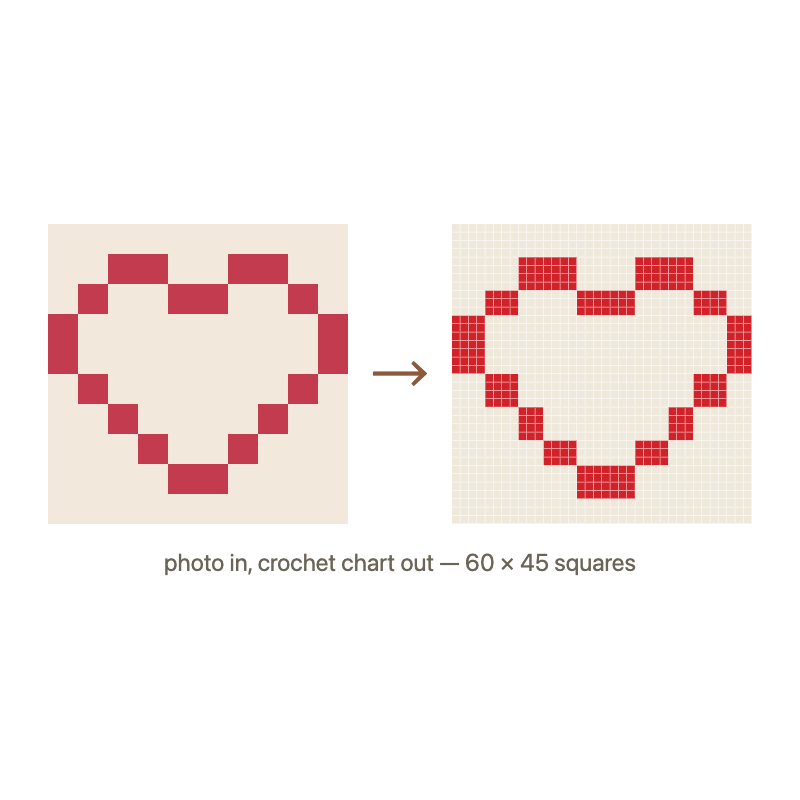
What this crochet chart maker outputs
Every chart comes with the three things a chart needs to be crochetable: a numbered grid (row numbers on the side, so you never lose your place), a color legend with stitch counts (how many stitches of each yarn, so you can pull from stash before starting), and the reading order for your chosen style — tapestry rows alternate direction, C2C works diagonals, filet counts solid and open blocks. The symbol overlay is there for the days when two yarns are nearly the same shade.
Looking for the photo-blanket workflow instead? The crochet pattern generator page walks through choosing a photo and grid size for C2C blankets. New to grids in general? The chart reading guide explains all three styles with examples.
Frequently asked questions
Chart maker vs pattern generator — what's the difference?
Same tool, two entry points: this page is tuned for people who think in charts (grids, rows, symbols), while the pattern generator page is tuned for people who think in photos-to-patterns. Either way you get the same grid.
Does the chart show row numbers?
Yes — rows are numbered along the side of the grid (every row, or every 5 on dense charts), and it prints with the chart.
Can I print the chart as a PDF?
Yes. Hit “Print / Save PDF” and choose “Save as PDF” — the grid and legend print without the page furniture.
Is this crochet chart maker free?
Completely free, no sign-up, and your photo is processed on your own device.